


Advanced Maintenance Solution to Reset Epson Stylus T23 System
Access our specialized technical guide for the Epson Stylus T23 model. This utility effectively removes system blocks for all your printing tasks.
 Reset Epson T23 Printer Download Unlimited 1/PC
✓ 100% reset of ink pad counter
✓ Installation transfer twice a year
✓ Automatic delivery in 20 Seconds
✓ Permanently Active 1 PC
✓ Installation tutorial
✓ Total Life-Time guarantee
$5 USD
Epson T23 Printer Reset
Permanently active
✓ 100% waste ink counter reset
✓ Multiple printers of this model
✓ Automatic delivery in 20 seconds
✓ Online support
✓ Installation tutorial
✓ Full Life-Time guarantee
$5 USD
Checkout
Total:
$5 USD/1PC
Select one of the payment methods:
 PayPal
 PayPro Global
Server Status
Automatic delivery in 10 seconds
Manual delivery during business hours
 Keys for multiple models
✓ Choose your Models
✓ All Epson printers available
✓ Packages with 70% discount
✓ Online support
✓ Installation tutorial
✓ Activate it whenever you want
✓ Perfect for assistance
(At the client's company or address)
Shipment
Automatic delivery in 10 seconds every day of the week, 24 hours a day
Warranty
Full product warranty, receive your product or your money back
Windows
Compatible with all Windows - 7 - 8 - 10 - 11
What is the Reset Epson T23 Printer for?
The Reset Epson EcoTank T23 becomes completely indispensable when this specific printer model displays warning notifications such as "The internal ink absorption component has reached its established operational threshold" or "A specific internal part has considerably exceeded its predefined usage parameters." These cautionary alerts constitute fundamental elements of the advanced protection mechanism developed by specialized Epson engineers to prevent eventual ink leakage incidents and protect exhaustively all internal constituent elements of the Epson EcoTank T23 multifunction printing device.
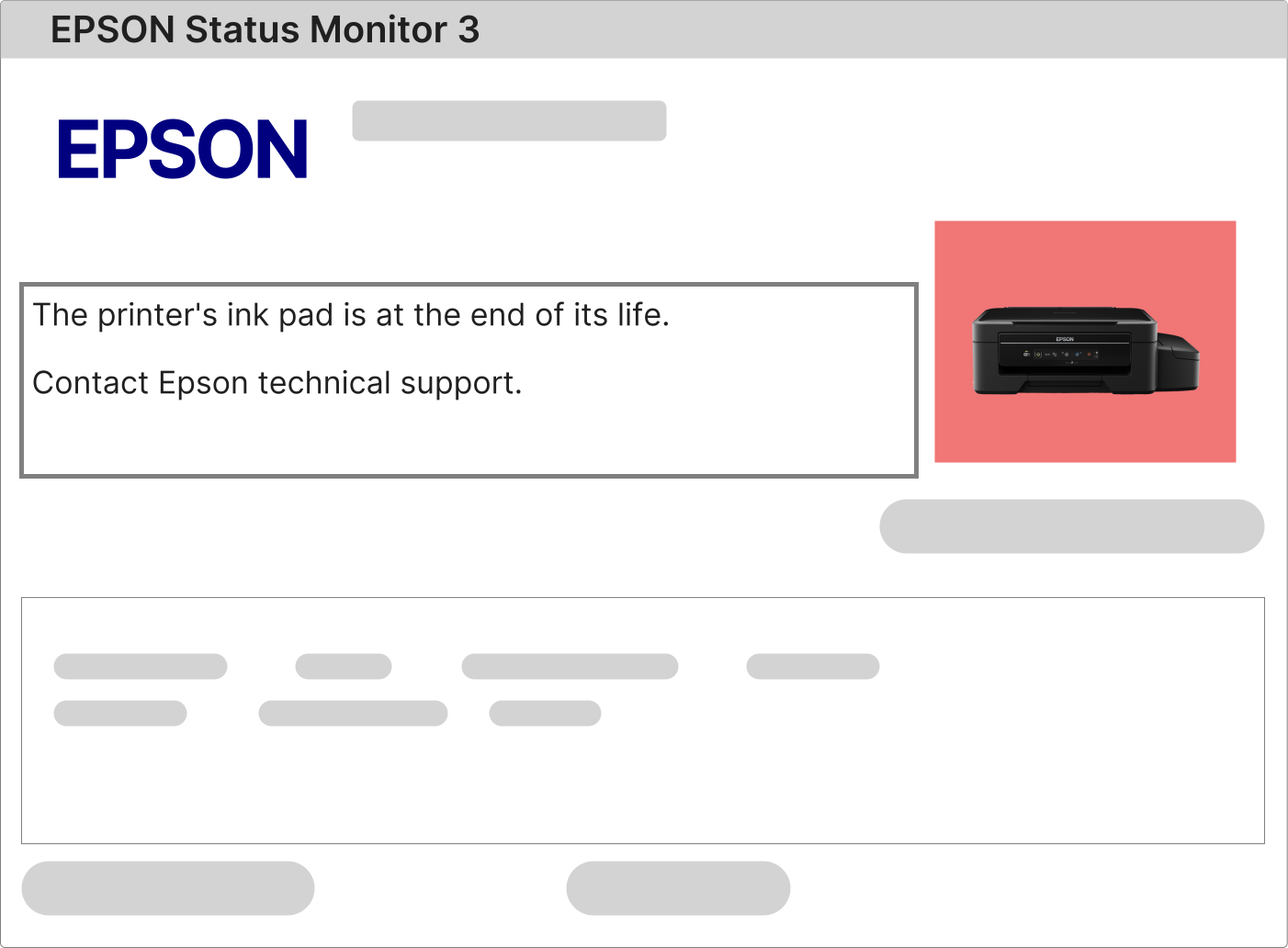
What specific actions should be undertaken when the totality of indicator lights on the Epson EcoTank T23 flash uninterruptedly without apparent cessation?
When the complete series of luminous indicators on the Epson EcoTank T23 model activates with persistent simultaneous flashing patterns, this particular condition usually indicates a security lockout triggered due to the internal waste ink counter reaching its maximum capacity configured during the manufacturing process. To categorically verify the exact error code presented by the system, it's essential to examine meticulously the detailed warning notification that emerges automatically within the Epson Status Monitor 3 software installed on your personal computing workstation.
1 – Transmit any basic printing task or standardized test document to the Epson EcoTank T23 printer and supervise attentively the particular error message that arises instantaneously within the primary visualization window of the corresponding Epson Status Monitor 3 application.
2 – If the technical notification explicitly mentions the ink absorption component, the internal counter mechanism, or the culmination of the service life cycle of any crucial part, it will be absolutely imperative to execute the complete Reset Epson T23 procedure employing professional methodology specifically elaborated for this singular device model.
3 – In the eventuality that no distinguishable error message appears on the computational interface screen, download integrally and install appropriately the most recent official driver software for the Epson EcoTank T23 model directly from the authorized corporate website of Epson.com and repeat methodically the global diagnostic verification procedure of the system from its initial beginning.
Exhaustive technical procedure for correctly executing the reset operation of the waste ink counter on the Epson EcoTank T23 printer
The global reset process for the Epson EcoTank T23 printer model is notably direct, effective and completely secure when following adequately each of the sequential steps described in the corresponding instructional guidelines. This procedure requires only a personal computer functioning with Windows operating system, stable broadband internet connectivity, and the Epson EcoTank T23 printer physically connected via certified USB cable while maintaining appropriate electrical supply continuity throughout the entire operation duration.
The multifunctional Epson EcoTank T23 printer utilizes a specialized service utility specifically conceived to completely reinitialize the internal counter mechanism that monitors the utilization of the waste ink absorption component, technically recognized within professional service circles as the certified Reset Epson T23 solution for this concrete device configuration.
1 – Obtain the complete specialized reset software package from the exclusive access link provided immediately to your registered personal email address subsequent to the successful confirmation of the commercial transaction on our specialized digital service platform.
2 – Activate the specialized software application using the unique digital authorization key supplied with complete detail within the same purchase confirmation email message delivered automatically to the location of your designated inbox.
3 – Follow meticulously the complete presentation of the detailed video tutorial available immediately adjacent to the main download initiation button on our secure certified digital platform that presents advanced encryption protocols implemented specifically for the T23 model.
4 – Upon completely finishing the entire specialized technical reset procedure, completely power off and subsequently restart carefully the Epson EcoTank T23 printer to definitively finalize the complete reset sequence successfully while restoring the complete original manufacturer functionality specifications of the device.
What specific function does the ink absorption component perform within the internal operating system of the Epson EcoTank T23 printer?
The Epson EcoTank T23 printer incorporates a sophisticated internal system of waste ink collection and containment, commonly denominated in specialized technical documentation as ink absorption component or specialized internal liquid waste reservoir that presents high-performance absorbent materials.
During each system initialization sequence and throughout all programmed automatic maintenance cleaning cycles of the print head, residual excess ink is systematically channeled toward this specialized absorption component designed specifically with particular technical characteristics for the T23 model configuration.
Additionally, all periodic automatic maintenance operations that occur during conventional printing activities continue accumulating incrementally reduced amounts of residual ink within the internal absorption system specifically calibrated for this particular device model.
When the absorption component finally reaches its maximum programmed absorption capacity threshold, the Epson EcoTank T23 printer automatically activates a security lockout mechanism as preventive protection against possible irreversible internal damage to fundamental electronic components and linked operating subsystems.
To permanently resolve this habitual technical condition affecting the T23 model, two essential complementary actions must be executed sequentially with adequate precision:
• Clean exhaustively or completely replace the original ink absorption component observing specific protocols recommended by the manufacturer, or alternatively install a permanent external drainage system employing compatible certified components.
• Execute definitively the corresponding professional specialized service procedure Reset Epson T23 to completely reinitialize the internal counter mechanism to original factory default values.
Subsequent to complete authorization and technical verification of the corresponding payment transaction, you will automatically receive within your personal inbox an official email communication similar to the representative example displayed below containing all necessary elements to proceed appropriately.

The email communication incorporates integrally your exclusive personalized permanent digital activation key, the official secure direct download link that presents advanced encryption protocols, and the complete step-by-step video tutorial with all detailed technical instructions specifically elaborated for the Epson EcoTank T23 model under your possession.
You simply need to observe carefully all steps specifically delineated within the supplied instructional materials to completely finalize the technical reset procedure in a totally secure, demonstrably effective manner and without potential operational risks for your specific Epson EcoTank T23 printing equipment.
Reset Epson EcoTank T23: Exhaustive comparative analysis between unofficial free software solutions versus officially certified professionally licensed programs